

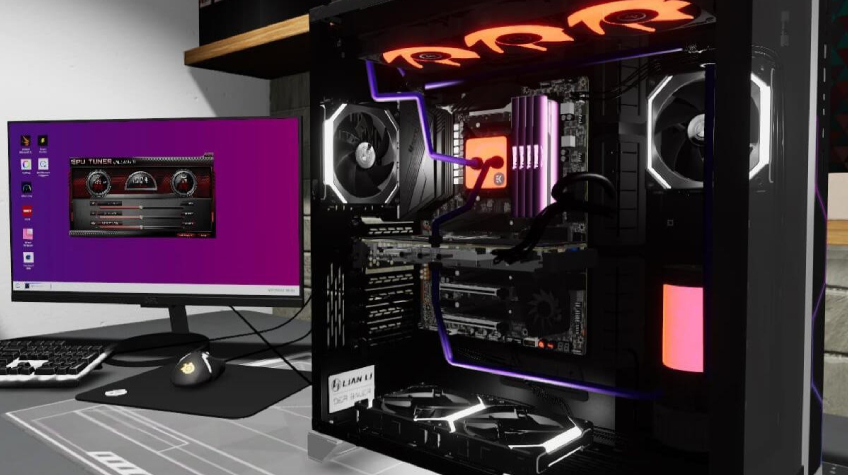
Building a gaming PC in 2025 is more exciting than ever. With cutting-edge hardware, faster processors, and more efficient GPUs, gamers have a wide range of PC components to choose from. However, with so many options on the market, it can be confusing to decide which parts matter the most and which ones can wait for an upgrade later.
Whether you’re a beginner assembling your first gaming setup or an experienced builder fine-tuning your next high-performance rig, understanding which components to prioritize is key to getting the best gaming experience for your budget.
Let’s break down the most important PC components you should focus on when building a gaming PC in 2025 and why each one plays a critical role in your system’s performance.
1. The Graphics Card (GPU) – The Heart of Every Gaming PC
When it comes to gaming, the graphics card is arguably the most important component. It determines how smoothly your games run, how detailed the visuals appear, and how high your frame rates can go.
In 2025, modern games are more graphically demanding than ever, requiring GPUs that can handle ray tracing, AI-driven rendering, and 4K resolutions.
Why It’s Important:
- The GPU is responsible for rendering all the visuals in your games.
- A strong GPU ensures smooth performance in modern AAA titles.
- It’s the single most impactful component for gamers.
Top GPU Picks for 2025:
- Budget: NVIDIA RTX 4060 / AMD RX 7600
- Mid-Range: RTX 4070 Ti / RX 7800 XT
- High-End: RTX 4090 / RX 7900 XTX
Pro Tip:
If you’re building a gaming PC on a limited budget, allocate at least 35–40% of your total spend toward your GPU. It’s the best investment for improving gaming performance.
2. The Processor (CPU) – Powering Your System’s Performance
The CPU is the brain of your system. While the GPU handles visuals, the CPU manages game logic, physics, AI behavior, and background tasks. For competitive gamers, a strong CPU ensures minimal bottlenecks and stable frame rates in CPU-intensive titles like Fortnite, Valorant, or Cities: Skylines II.
Why It’s Important:
- It handles overall system performance and game responsiveness.
- A weak CPU can bottleneck a powerful GPU.
- Essential for multitasking, streaming, or running multiple apps during gameplay.
Recommended CPUs in 2025:
- Budget: AMD Ryzen 5 5600G / Intel Core i5-13400F
- Mid-Range: Ryzen 7 7800X3D / Intel i7-13700K
- High-End: Ryzen 9 7950X / Intel i9-14900K
Pro Tip:
Look for CPUs with at least 6–8 cores and high single-core performance. Games today rely on multi-core efficiency but still perform best with strong per-core power.
3. Motherboard – The Backbone of Your Build
Your motherboard connects all other PC components and determines upgrade flexibility. While it doesn’t directly affect frame rates, choosing the right motherboard ensures stability, proper cooling, and compatibility with newer hardware standards.
Why It’s Important:
- Houses and connects all your PC components.
- Determines upgrade potential (RAM, SSDs, GPU slots).
- Impacts connectivity options like Wi-Fi 6, USB-C, and PCIe 5.0.
Key Features to Look For:
- Socket Type: Ensure compatibility with your chosen CPU (e.g., AM5 for Ryzen 7000 or LGA1700 for Intel 14th Gen).
- PCIe Slots: For newer GPUs and M.2 storage drives.
- Cooling and Power Delivery: Helps maintain long-term stability.
Pro Tip:
Don’t overspend here, aim for a mid-tier motherboard that supports the features you need now and offers room to upgrade later.
4. Memory (RAM) – Smooth Multitasking and Faster Load Times
Modern games demand more memory than ever. Insufficient RAM can cause stutters, slow load times, and overall lag.
In 2025, most gaming PCs should come equipped with at least 16GB of DDR5 RAM, while power users or streamers will benefit from 32GB.
Why It’s Important:
- Improves game responsiveness and load times.
- Allows multitasking between gaming, streaming, and web browsing.
- Newer DDR5 memory is faster and more efficient than DDR4.
Pro Tip:
Choose high-speed DDR5 RAM (6000 MHz or above) with low latency for optimal gaming performance.
5. Storage – Speed Matters More Than Ever
Gone are the days of waiting minutes for a game to load. In 2025, NVMe SSDs dominate the gaming world. They offer ultra-fast boot times, quicker texture loading, and smooth transitions between game levels.
Recommended Setup:
- Primary Drive (OS & Games): 1TB NVMe SSD
- Secondary Drive (Storage): 1TB or more SATA SSD or HDD
Why It’s Important:
- Reduces load times and in-game stuttering.
- NVMe SSDs significantly outperform older HDDs.
- Some modern games even require SSDs to run optimally.
Pro Tip:
Always install your most-played games on your NVMe SSD for maximum performance.
6. Power Supply Unit (PSU) – The Unsung Hero
The power supply is one of the most overlooked PC components, yet it’s vital for stability and safety. A poor-quality PSU can damage expensive hardware or cause random shutdowns under heavy load.
Why It’s Important:
- Delivers clean, stable power to all components.
- Impacts system reliability and efficiency.
- Determines upgrade capacity for future hardware.
Recommended Specs:
- Wattage: 650W to 850W (depending on GPU/CPU).
- Rating: 80+ Gold efficiency or higher.
Pro Tip:
Invest in a reputable PSU brand with modular cables it keeps your build neat and future upgrades easier.
7. Cooling System – Keeping Temperatures in Check
Gaming components produce heat, especially during long sessions. Effective cooling ensures performance remains consistent while prolonging component lifespan.
Why It’s Important:
- Prevents thermal throttling (loss of speed due to overheating).
- Extends hardware lifespan.
- Maintains system stability.
Types of Cooling:
- Air Cooling: Great for budget and mid-range builds.
- Liquid Cooling (AIO): Ideal for high-performance or overclocked setups.
Pro Tip:
Aim for a case with good airflow and multiple fans for efficient temperature control.
8. Case (Chassis) – Form, Function, and Airflow
Your PC case is more than just a shell, it’s where functionality meets design. A well-designed case provides better airflow, cable management, and space for upgrades.
Why It’s Important:
- Ensures airflow and cooling efficiency.
- Affects aesthetics and builds ease.
- Determines component compatibility.
Pro Tip:
Look for cases that support ATX or Micro-ATX motherboards, have dust filters, and tool-less drive bays for easy assembly.
9. Monitor – Bringing Your Gaming PC to Life
While technically not part of the internal build, your monitor determines how you experience all that GPU power. Pairing a strong graphics card with a low-refresh-rate display limits your gaming potential.
Why It’s Important:
- Affects how smooth and detailed your games look.
- Higher refresh rates (144Hz+) deliver more fluid gameplay.
Recommended Monitors:
- 1080p 144Hz: Best for budget and esports gaming.
- 1440p 165Hz: Ideal balance for modern gaming PCs.
- 4K 120Hz+: Premium option for enthusiasts.
10. Prioritize Compatibility and Balance
When selecting PC components, remember that balance matters. Pairing a powerful GPU with a weak CPU or limited RAM can cause bottlenecks, reducing performance.
Example Balanced Builds (2025):
- Budget Gaming PC: Ryzen 5 5600G, RTX 4060, 16GB DDR5, 1TB SSD
- Mid-Range Build: Ryzen 7 7800X3D, RTX 4070 Ti, 32GB DDR5, 2TB SSD
- High-End Build: Intel i9-14900K, RTX 4090, 64GB DDR5, 2TB NVMe SSD
Pro Tip:
Always double-check component compatibility (CPU socket, PSU wattage, RAM speed, case size) before purchasing.
Final Thoughts
Building the perfect gaming PC in 2025 isn’t just about choosing the most expensive hardware, it’s about understanding which PC components matter most and how they work together.
Start with a strong GPU and CPU, ensure you have enough RAM and SSD storage, and never compromise on a reliable power supply. By balancing performance, compatibility, and cooling, you’ll create a system that not only performs well today but stays powerful for years to come.
Whether you’re assembling your dream build or upgrading an old system, focusing on the right PC components ensures every gaming session runs smooth, fast, and visually stunning.